


06-04-2024, 06:43 PM
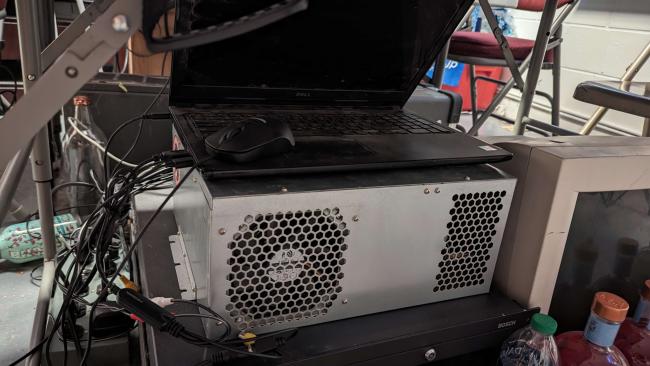
Wanted to share the DVR setup for recording on the Versatile City B for anyone else looking to do a similar budget build. This originally was used as the DVR for 3rd Strike, which then turned into the dedicated 3rd Strike Araiguma Side Stream before that got upgraded by using the old Head to Head computer running 30th, replaced by the CPS-III .
I say discount but the USB A/V capture was like 50 bucks.. Went with this because I tried 3 different 20$ ones and just had nothing but problems (You might want to give it a shot). SSD was 13$ and the laptop was free, the specs speak for themselves as what you can use for your DVR for match footage.
Hardware Used:
Inspiron 15, 2017 (dumpster dived) - i5, 4GB RAM, Intel HD Graphics 620 (Intel UHD), 128GB SSD
 Capture.PNG (Size: 13.53 KB / Downloads: 8)
hjb.PNG (Size: 10.6 KB / Downloads: 8)
Random USB mouse (left click on palmrest is broken - also just found this on the ground somewhere)
I-O Data (アイ・オー・データ) GV-USB2
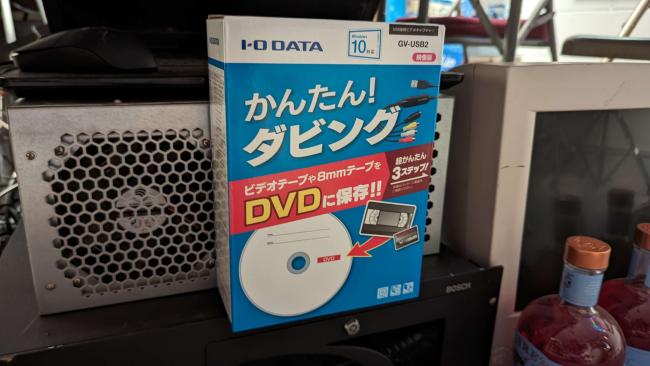
I'm told the drivers are super difficult to find for this, and people have had varying success with those on the CD, this is what is equipped with our DVR attached to this post.
Software Used:
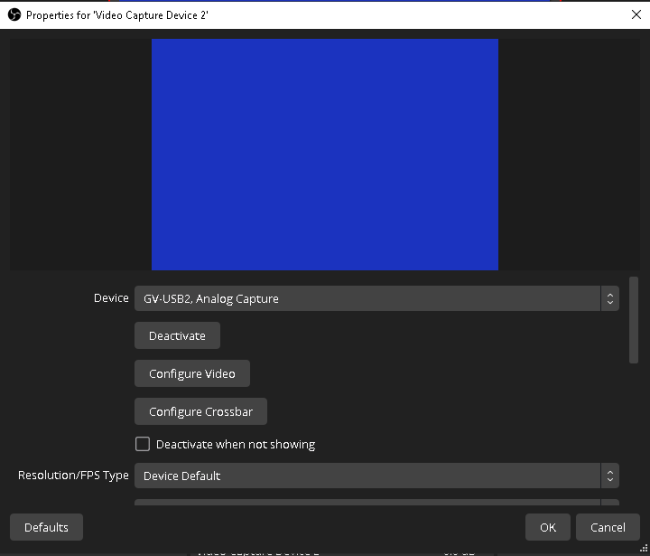
OBS Studio (Setup Wizard, Optimize for Recording Only - No Streaming)
Video Settings:
Capture1.PNG (Size: 14.29 KB / Downloads: 8)
2.PNG (Size: 6.95 KB / Downloads: 8)
This setting will vary for you, this is based on the equipment being captured and the specific video amplifier / splitter we're using .
3.PNG (Size: 10.09 KB / Downloads: 8)
Single Source - GB2
Base Canvas Resolution = 640x480 (4:3)
I say discount but the USB A/V capture was like 50 bucks.. Went with this because I tried 3 different 20$ ones and just had nothing but problems (You might want to give it a shot). SSD was 13$ and the laptop was free, the specs speak for themselves as what you can use for your DVR for match footage.
Hardware Used:
Inspiron 15, 2017 (dumpster dived) - i5, 4GB RAM, Intel HD Graphics 620 (Intel UHD), 128GB SSD
Capture.PNG (Size: 13.53 KB / Downloads: 8)
hjb.PNG (Size: 10.6 KB / Downloads: 8)
Random USB mouse (left click on palmrest is broken - also just found this on the ground somewhere)
I-O Data (アイ・オー・データ) GV-USB2
I'm told the drivers are super difficult to find for this, and people have had varying success with those on the CD, this is what is equipped with our DVR attached to this post.
Software Used:
OBS Studio (Setup Wizard, Optimize for Recording Only - No Streaming)
Video Settings:
Capture1.PNG (Size: 14.29 KB / Downloads: 8)
2.PNG (Size: 6.95 KB / Downloads: 8)
This setting will vary for you, this is based on the equipment being captured and the specific video amplifier / splitter we're using .
3.PNG (Size: 10.09 KB / Downloads: 8)
Single Source - GB2
Base Canvas Resolution = 640x480 (4:3)
[ Heavens Third-Rate Tomboi  NeSiCaXZXxxLiveCamz ]
NeSiCaXZXxxLiveCamz ]